

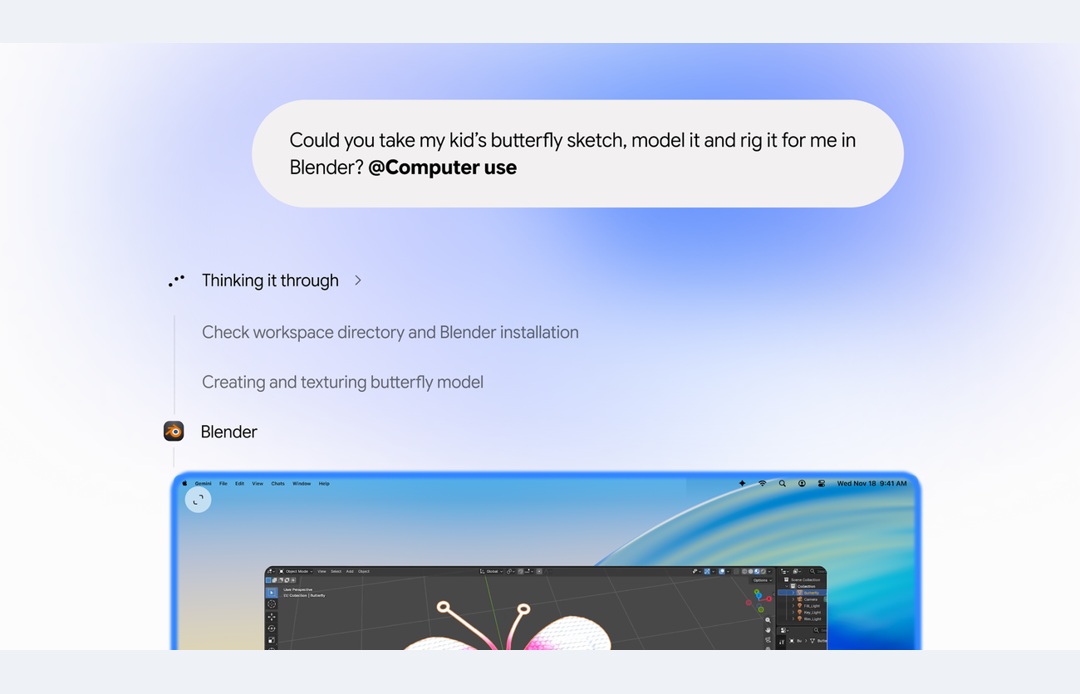
Google’s Gemini app for Mac can now work across desktop apps, local files and websites to carry out a task, rather than only tell you how to do it. The new computer-use feature runs in a separate background window, leaving your main screen and cursor available for your own work.
There is a significant availability limit for Indian readers: Google’s November 19 announcement says the rollout is in English in the United States. It is not an announcement of general availability in India.
What Gemini computer use actually does
You describe a workflow and Gemini handles actions such as navigating menus, clicking and entering information. Google’s examples include extracting details from PDFs for shipping quotes, collecting dashboard data for a presentation and staging resale listings from a folder of clothing photos.
Those examples explain the intended use, not a guarantee that every website or app will work without supervision. A workflow that reads a file, interprets its contents and fills a form still needs someone to check that the right details reached the right place.
The requirements are narrower than simply owning a Mac
Google lists an Apple Silicon Mac running macOS Sequoia 15.0 or later. The feature is for personal Google accounts belonging to users aged 18 or older, and requires a Google AI Plus, Pro or Ultra plan.
That means an Intel Mac, an unsupported macOS version or an ineligible account will not meet the stated requirements. The announcement does not establish access for work or school accounts, and it does not provide an India rollout date.
A separate window, with permissions and previews
Gemini works inside an isolated background window, with a live preview in the chat. Google says users choose which apps it can access, can watch its steps and can pause it. The company also describes approval checks before key actions.
Google’s wording needs a careful reading. One part of the announcement refers to approving every action, while another refers to approving key actions. It does not list the exact confirmation rules for every kind of task. Treat that as something to check in the actual product rather than assuming every click, payment or message will always be covered by the same prompt.
What this changes, and what it does not
Computer use is different from asking a chatbot to write instructions that you then follow yourself. It moves the assistant closer to doing the clicks across a workflow, with the potential to reduce repetitive form entry and file handling.
It also makes permissions and review more important. Access to an app may expose material unrelated to the immediate task. A sensible starting point is a low-risk job using non-sensitive files, with only the apps needed for that task enabled. Check the finished work before relying on it or allowing anything to be submitted.
For now, the useful takeaway is the combination of background operation and user-visible control, with clear hardware, subscription and US rollout limits. Indian Mac users should not subscribe on the assumption that this announcement guarantees them access.
Image credit: Google.

